Theme Lab
This post was written or edited with the help of AI. See Reflecting on AI Writing.
Added the AI-assisted content badge.
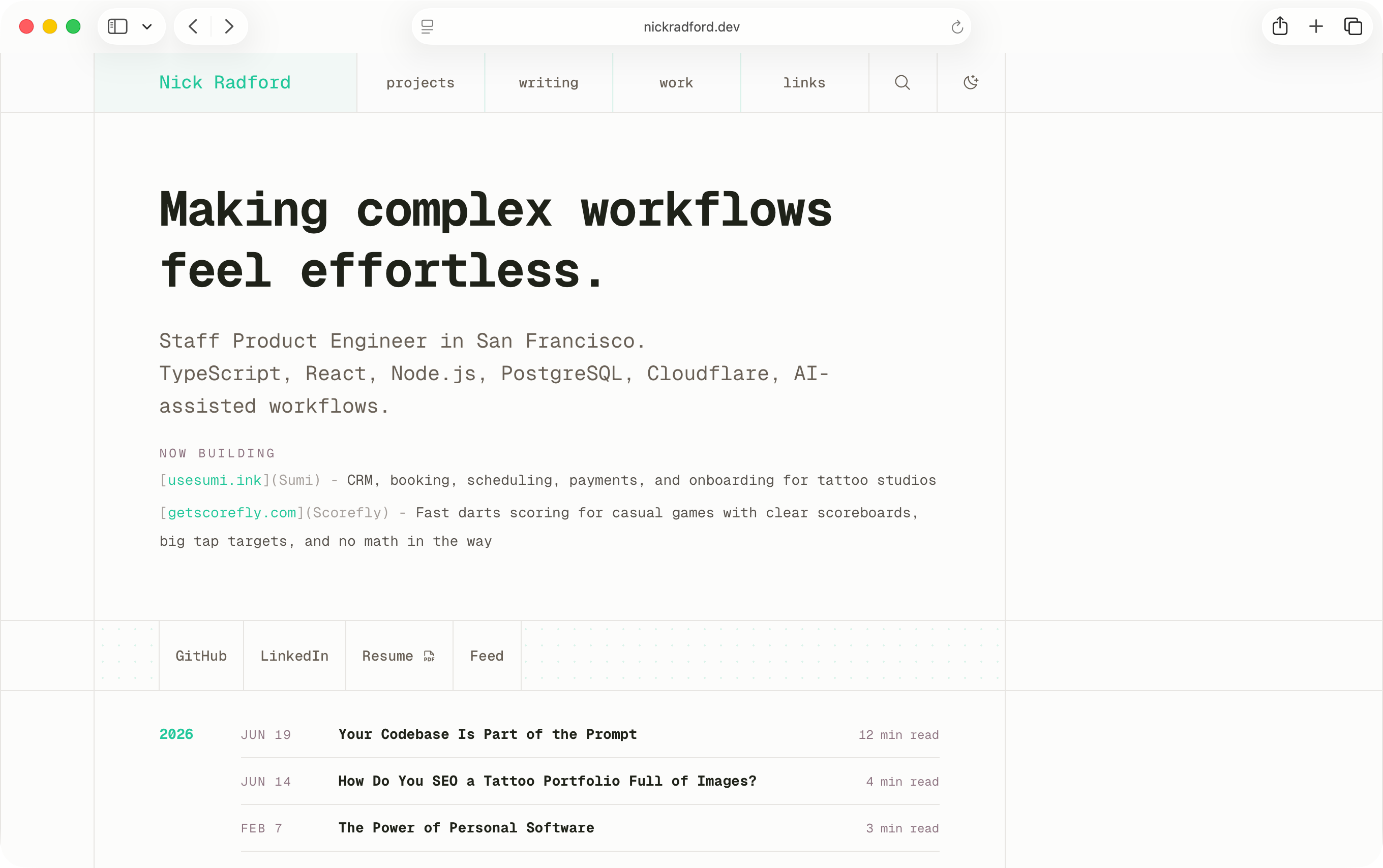
I thought my website was too yellow.
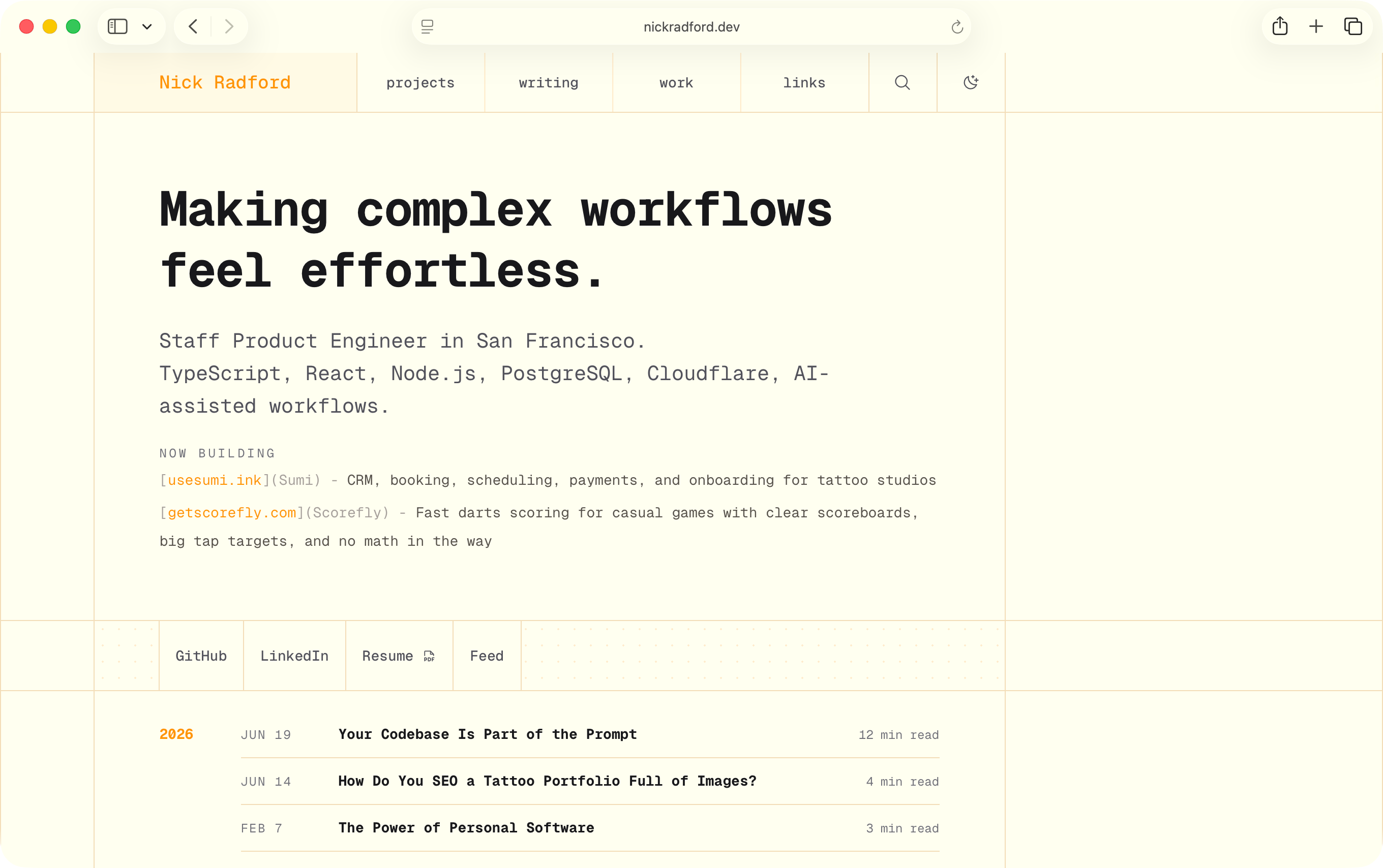
This was around midnight, so not exactly peak brain-performance hours, but I was staring at light mode and getting annoyed that the background felt too warm. Too cream. Too much like someone had spilled chamomile tea into the CSS.
Naturally, I asked Codex to fix it.
Make it lighter. Make it less yellow. Make it closer to white. No, not that white. Back it off a little. Actually maybe the surface color is the problem.
Eventually I realized Night Shift was on.
Great. Incredible work by me.
But the dumb part revealed a real problem: I was using Codex as a very slow color picker.
I had turned a visual feedback loop into a prompt loop. Instead of touching the thing directly, I was describing what felt wrong, waiting for an agent to edit a token, reloading the site, judging the result, and then asking for another tiny adjustment.
That is a bad interface for taste work.
Codex is useful, but “make this less yellow” is not a precise instruction. It is barely even a direction. Sometimes I do not know what I want until I see it. That is especially true for color, where the difference between “warm and soft” and “why does this look like legal paper” can be a few degrees of hue, the screen I am using, the time of day, and whether my laptop is quietly lying to me.
So I asked Codex to build me a dev-only browser tool that could randomize the site theme.
That was the first version of Theme Lab.
The interface was wrong
The first version was not supposed to be a feature.
It was a probe. A little Astro island I could open while looking at the actual site. It had a few presets, a randomize button, some color pickers, a short history, and a way to copy the resulting values so I could hand them back to Codex later.
Basically: stop asking the agent to guess at colors and give myself something to poke.
That changed the shape of the work immediately.
Before Theme Lab, tuning the site meant editing constants or asking Codex to edit them for me. After Theme Lab, the site itself became the control surface. I could change one token and watch the whole page respond. I could hit shuffle and get a totally different direction. I could save a good accident, reset a cursed one, and keep moving.
The important part was not the theme picker.
The important part was the loop.
A lot of product engineering is just noticing when the interface to a problem is wrong. Sometimes that interface is a screen in your app. Sometimes it is a spreadsheet. Sometimes it is a meeting. In this case, the interface was me typing increasingly vague color opinions into Codex and hoping the next diff would feel right.
Theme Lab compressed that loop down to a button.
Then the toy escaped dev mode
Pretty quickly, the dev tool became more fun than the task it was supposed to help with.
I could be reading my own site, hit shuffle, and the whole thing would take on a different mood. Sometimes better. Sometimes worse. Sometimes weird enough that I wanted to keep it around anyway.
That made the site feel less precious.
Personal sites can get frozen in a strange way. You redesign everything in one big swing, ship it, look at it for a while, slowly get tired of it, and then eventually decide it is time for another big swing. That rhythm is fine, but it makes every change feel heavier than it needs to be.
Theme Lab gave me a smaller motion.
Not a redesign. Not a rebrand. Just a way to keep the surface a little more alive while I was already there.
So I expanded it.
It grew dark mode support. Then persistence. Then history. Then separate light and dark presets. Then a daily theme. Then the color generator started moving more than just the accent color. Then it became an easter egg instead of a dev-only panel.
At some point, it was not a debugging tool anymore.
It was a tiny theme toy.
What it does
Theme Lab has a normal mode and a slightly weirder mode.
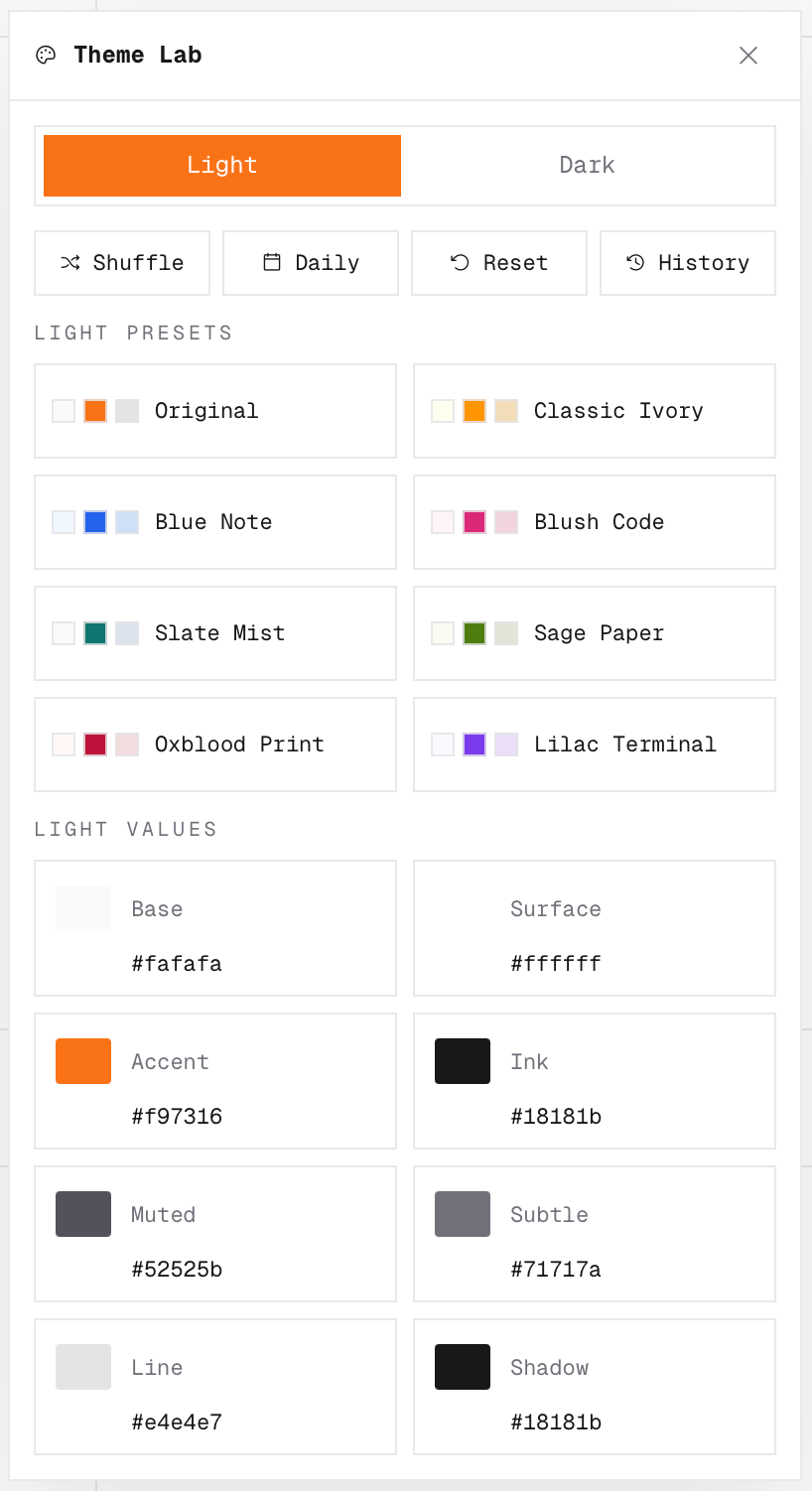
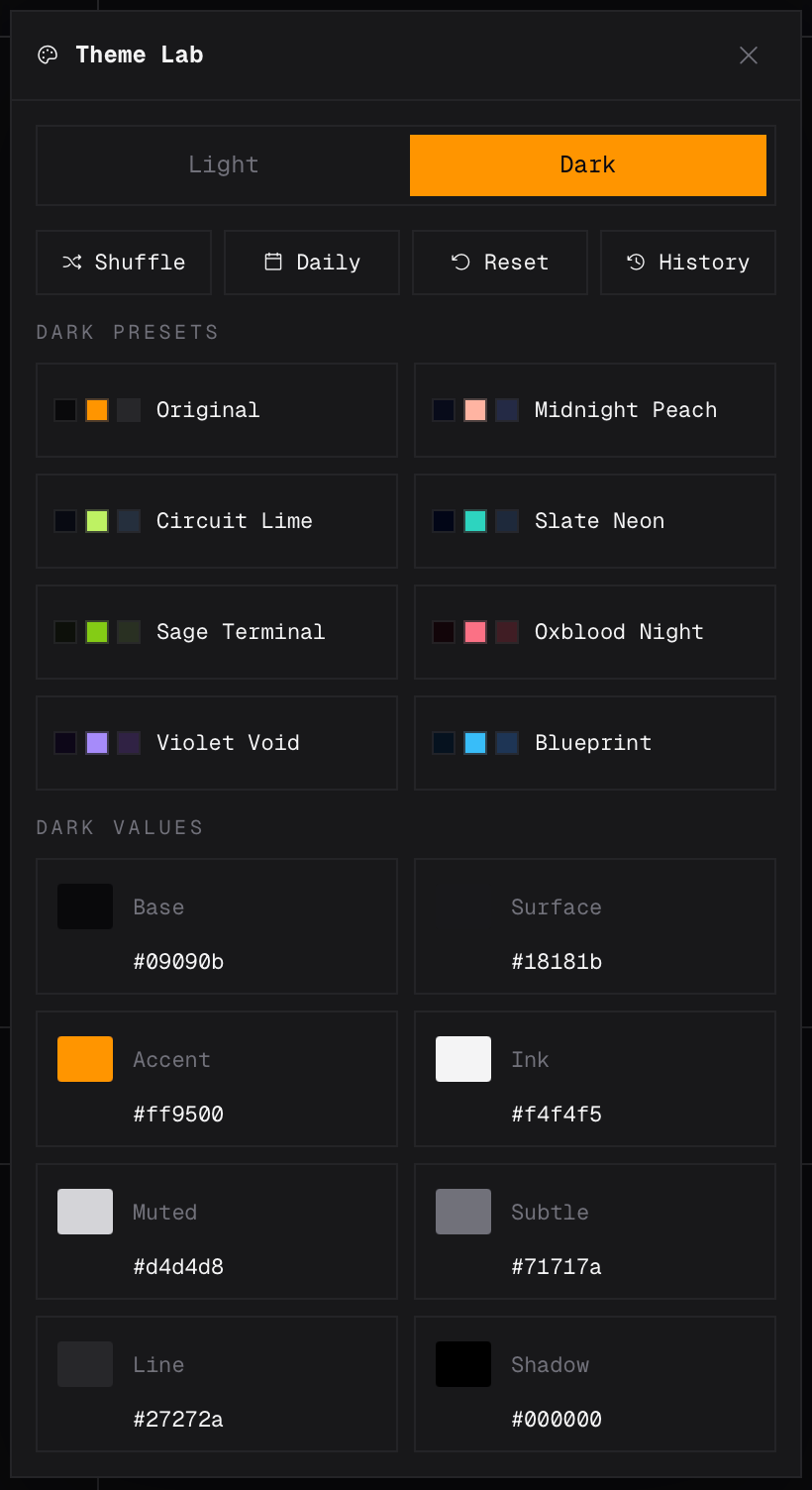
The normal mode is token-based. It exposes the handful of colors the site actually cares about:
basesurfaceaccentinkmutedsubtlelineshadow
Those are the direct controls. Everything else is downstream from them.
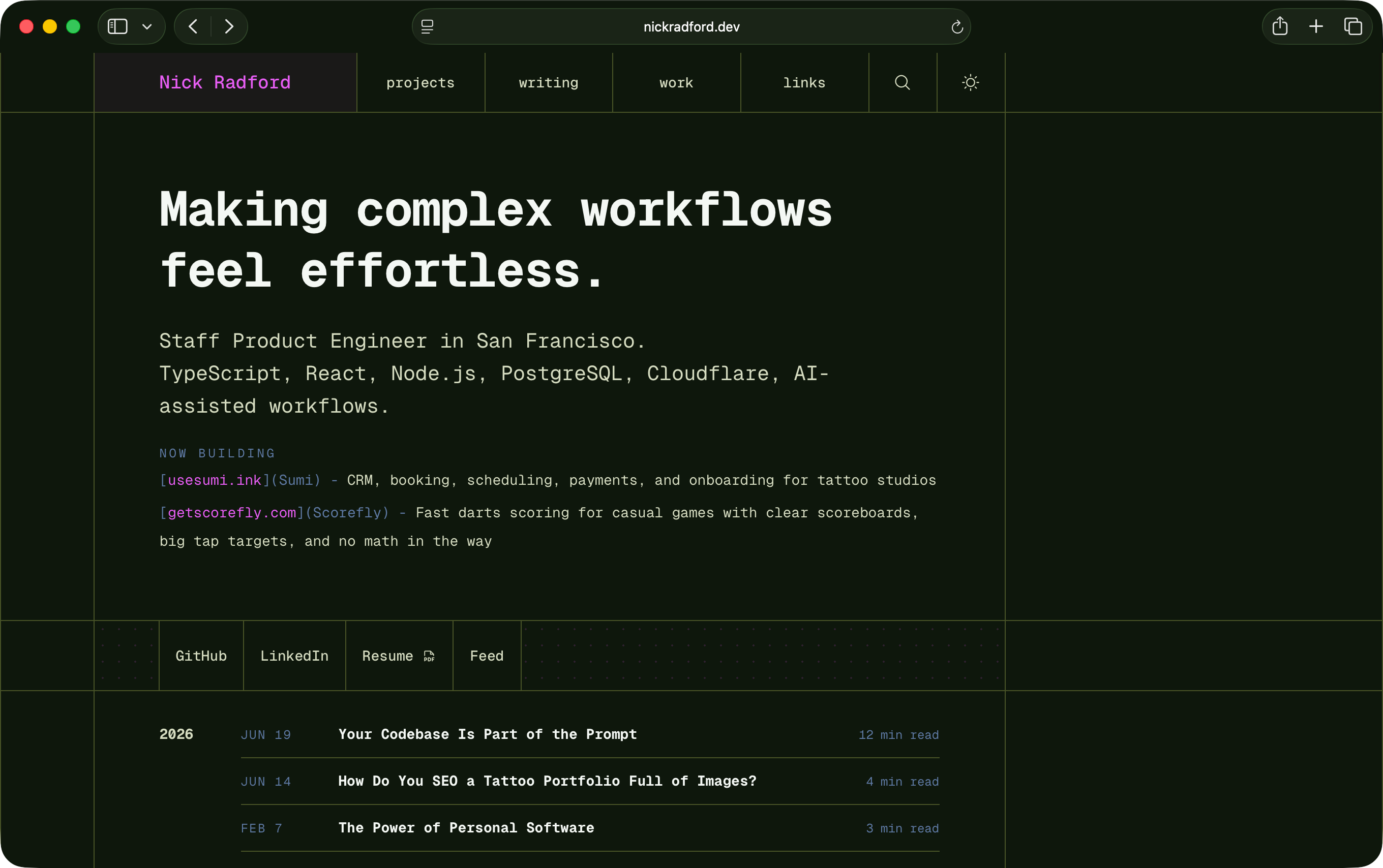
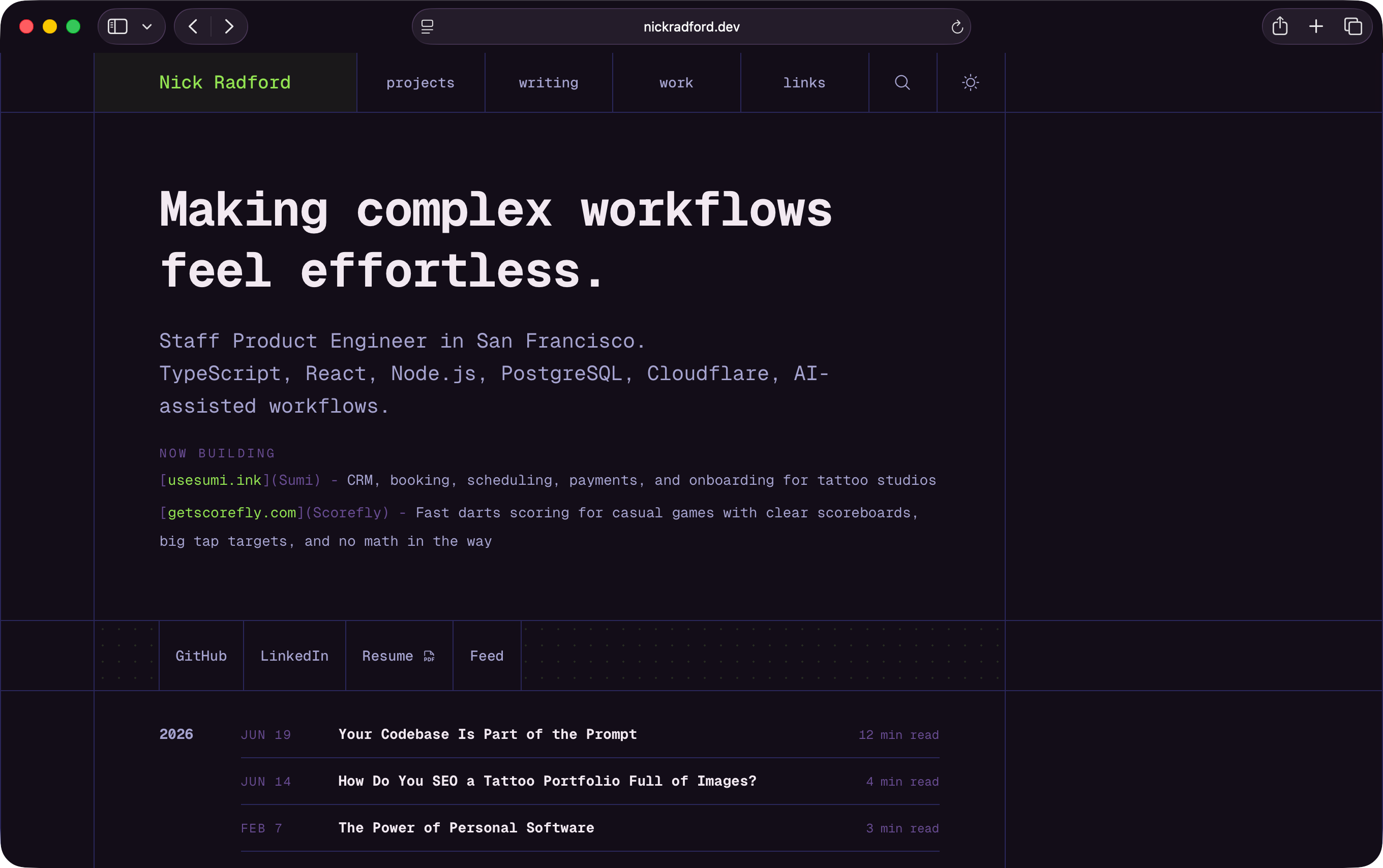
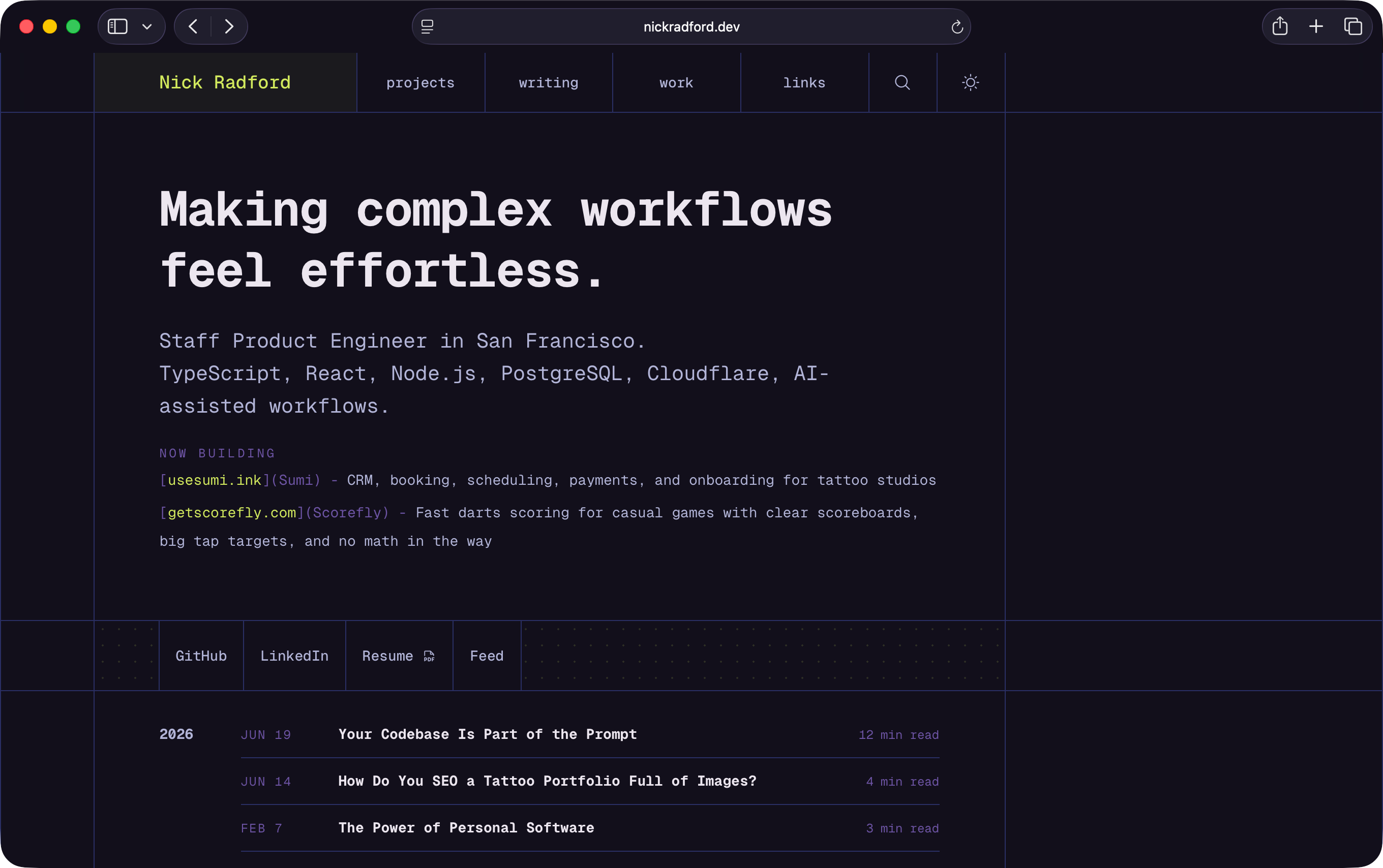
There are separate light and dark palettes, each with their own presets. The presets are named more like moods than design tokens: things like Classic Ivory, Blue Note, Slate Neon, Oxblood Night, Violet Void, and a bunch of others that are mostly there because naming tiny color worlds is fun.
There is a shuffle button. Shuffle does not just pick random hex values. It generates a point in a small conceptual color space, turns that point into a related palette, applies it to the site, and stores it in history.
There is also a daily mode. Daily uses the same generator, but with a deterministic seed based on the local date. So today gets one stable light/dark pair, and tomorrow gets another.
The whole thing persists locally. No backend. No account. No sync. Just localStorage, because this is a personal-site toy, not a SaaS feature pretending it needs onboarding.
The mood editor
There is also a second easter egg inside the easter egg.
Double-click the Theme Lab title and it reveals a hidden Mood tab.
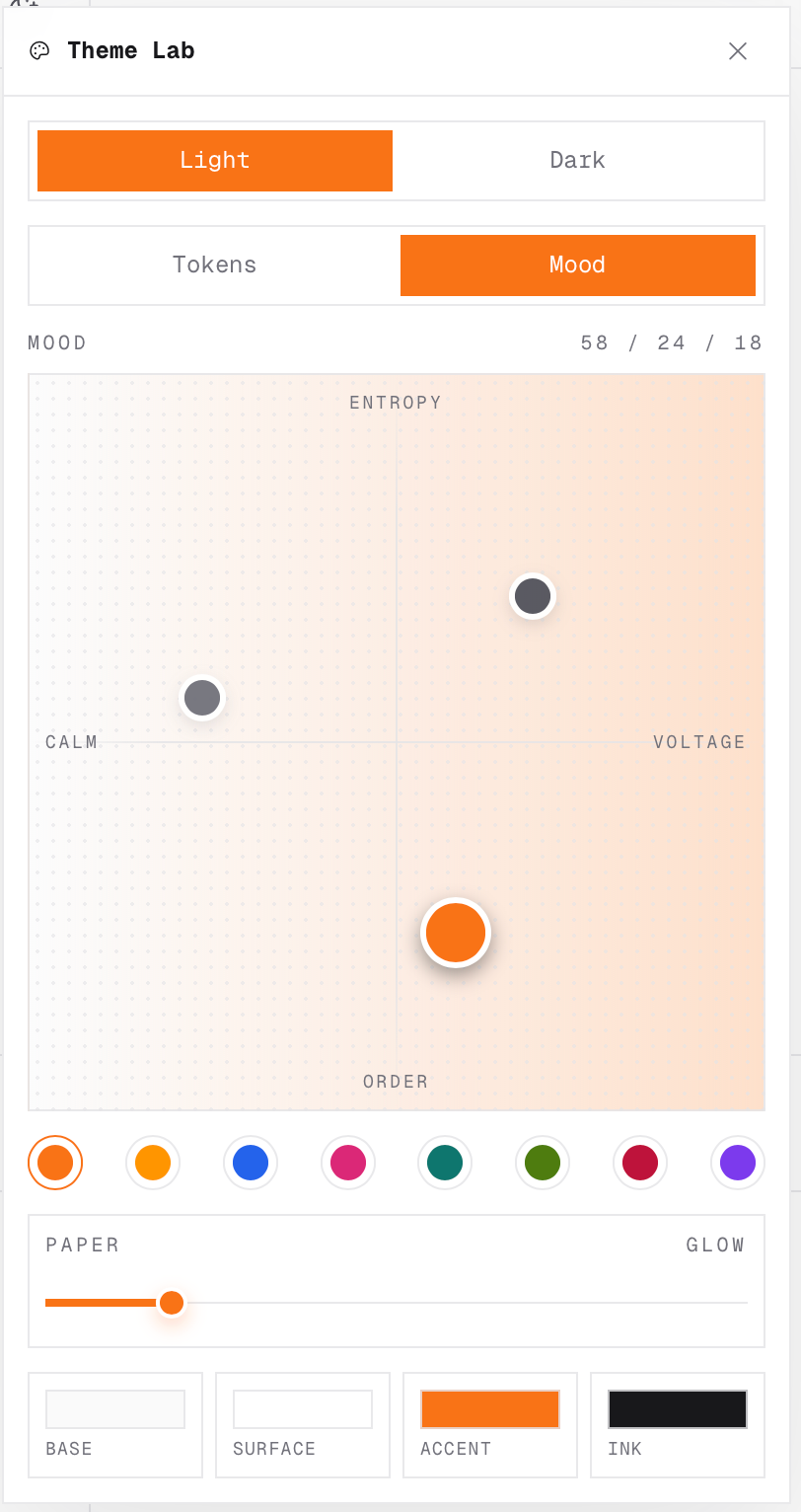
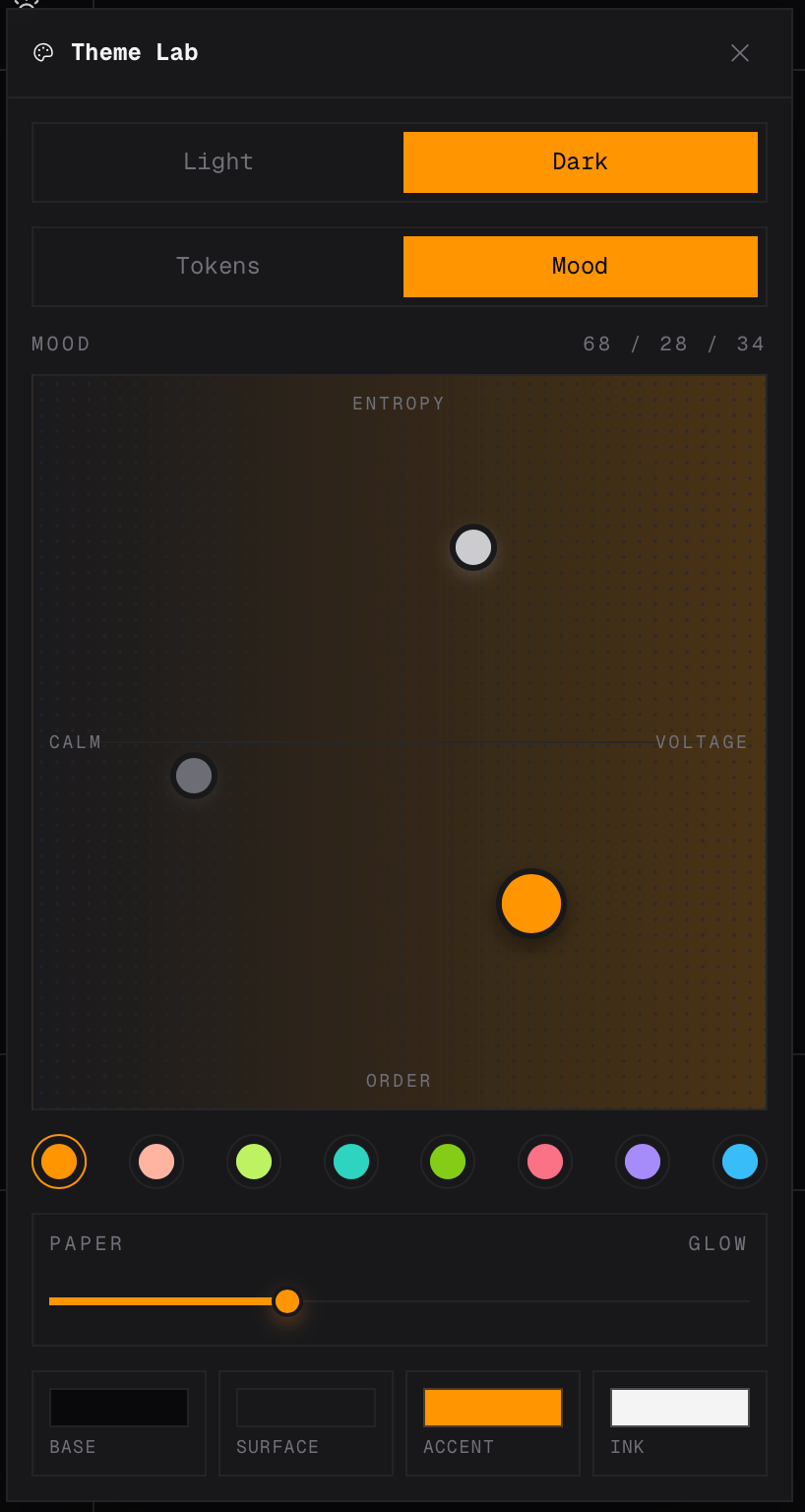
The Mood tab is where the feature gets more interesting. Instead of editing eight color inputs directly, it gives me a little field with three abstract controls:
Calm   → Voltage
Order  → Entropy
Paper → GlowVoltage is the horizontal axis. Calm on the left, voltage on the right.
Entropy is the vertical axis. Order at the bottom, entropy at the top.
Glow is a separate slider. Paper on one side, glow on the other.
It is loosely inspired by the theme editors in Arc and Zen, but I did not want to copy those directly. I wanted something that fit this site and its token system. Something that felt like a small instrument rather than a generic palette picker.
Dragging around the pad changes the theme as a connected system. The generator moves the base, surface, accent, text, border, and shadow together. It also creates companion points around the primary point, so the palette has a little more structure than “pick an accent color and call it done.”
This is the part that made the feature click for me.
Color inputs are useful, but they are not especially fun. They make me think in terms of values. The mood pad makes me think in terms of direction.
More energy. Less chaos. More glow. Colder. Softer. Weirder.
That is closer to how I actually experience the site.
The real site is the preview
The implementation detail I care about most is that Theme Lab edits the real design tokens.
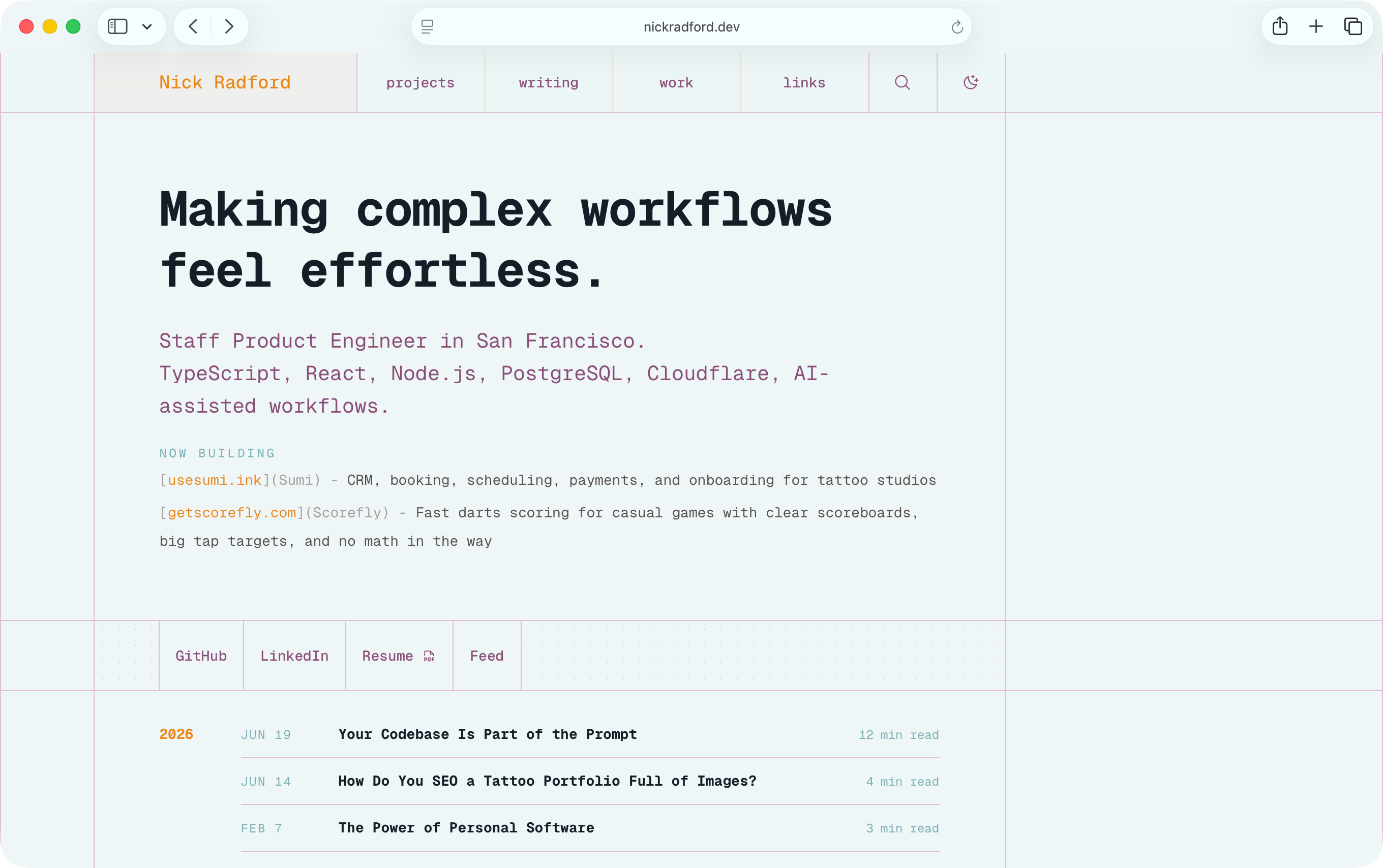
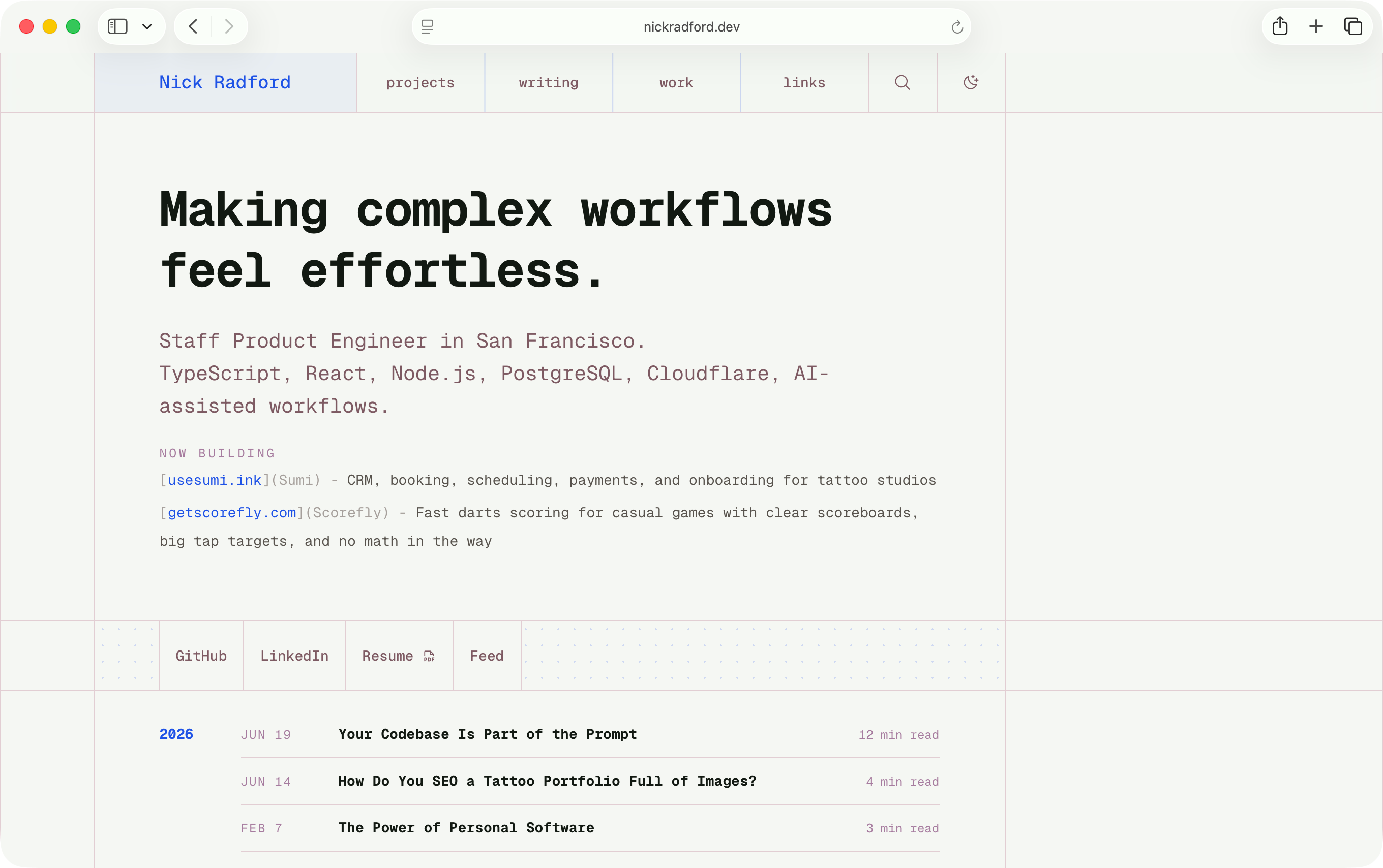
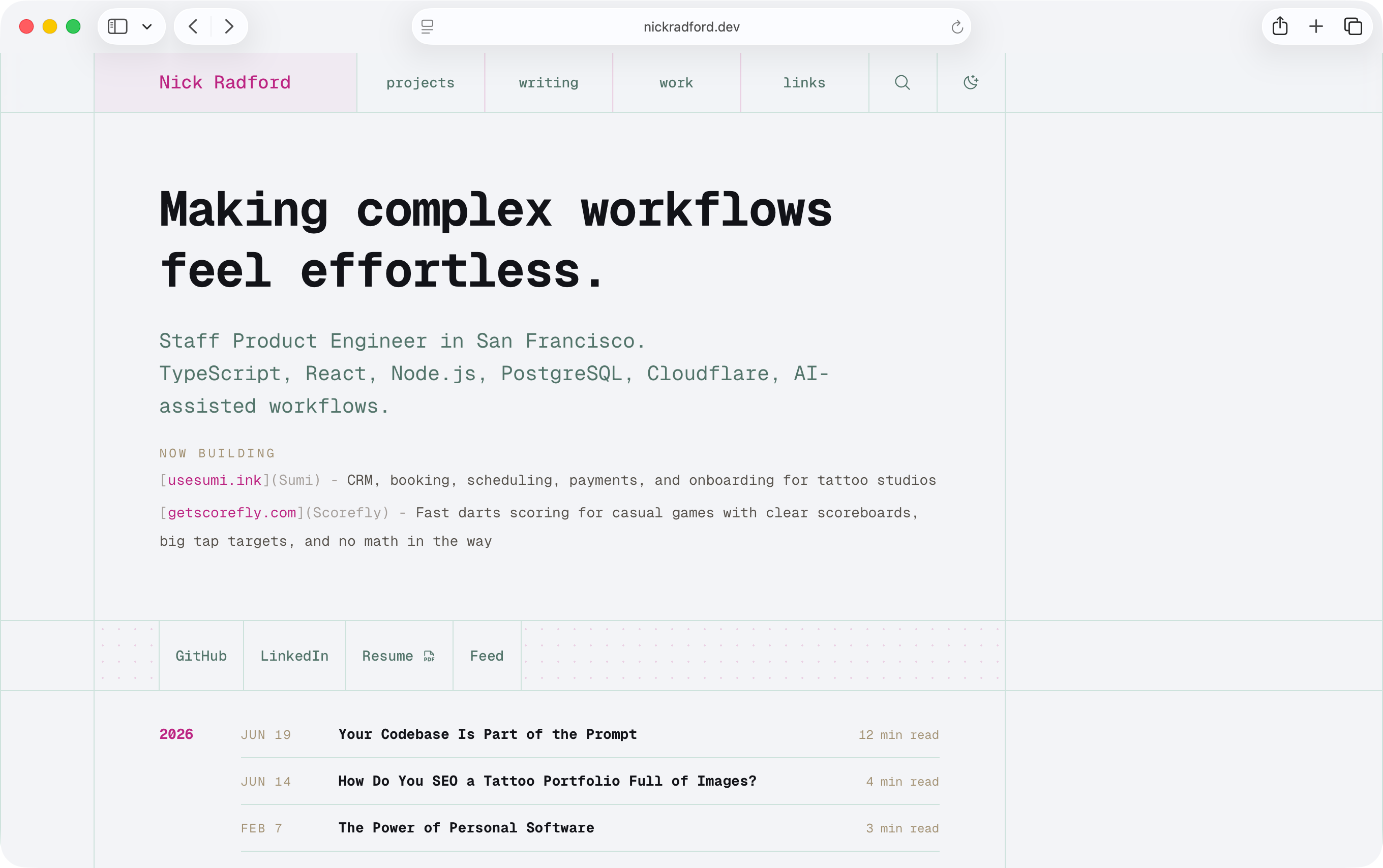
The site already uses CSS variables for its color system. Theme Lab generates a style tag that overrides those variables for light and dark mode. The rest of the site keeps using the same classes and tokens it already used.
That means I am not previewing a theme in a detached sandbox.
I am changing the actual pages I am reading.
That constraint made the feature more useful, but it also made it more honest. A detached playground can lie to you. It can make a palette look good in isolation while the actual product still has hard-coded colors, weird contrast problems, stale decorative elements, or code blocks that clearly belong to a different universe.
Theme Lab started exposing those problems immediately.
The accent color was not actually used everywhere I thought it was. Some decorative elements had hard-coded orange values. Some buttons needed computed foreground colors so the label stayed readable against whatever accent was active. Code blocks had their own static theme. The browser theme color needed to follow the active base color. The panel itself had to be themed by the same system it was editing.
That was annoying, but it was also useful.
A real theme editor is a design-system audit with buttons.
If something does not respond to the theme, either it is intentionally outside the system or it is a leak. Theme Lab made those leaks obvious.
Avoiding the flash
There was one other implementation detail that mattered: the page could not flash the default theme on load.
This site is built with Astro, and the first paint happens before the React island hydrates. If Theme Lab only applied the saved theme inside React, every page load would briefly show the default palette and then snap into the custom one.
That is the kind of thing I would absolutely notice and then never unsee.
So the saved theme gets applied early. The layout injects a small preload script that reads from localStorage, rebuilds the active theme CSS, sets the document background, updates the dark-mode class, and inserts the style tag before React takes over.
It is slightly fussy.
It is also the difference between “cute debug panel” and “this feels like it belongs here.”
A visual toy that flashes the wrong colors on load feels broken.
How to find it
Theme Lab is intentionally tucked away, but it is not secret-secret.
For now, it is only discoverable on desktop / wide displays, not mobile. There is a subtle vertical button on the right side of my work page. Open it once and the site remembers that you found it. After that, the normal theme toggle gets a little hover menu for reopening Theme Lab or resetting back to the default themes.
Once discovered:
Shift + T  opens Theme Lab
Shift + S  shuffles the theme
Shift + Y  toggles the daily theme
Shift + R resetsAnd if you double-click the Theme Lab title, you get the Mood tab.
The whole thing is overbuilt in the way personal-site features are allowed to be overbuilt.
Most people will not find it. It does not make the site easier to read. It probably does not need history, daily themes, keyboard shortcuts, persistent palettes, a hidden mood editor, springy points, or a glow slider.
But I like that it exists.
The joy is the point
I do not think every site needs a theme editor.
I do think more personal sites should have weird little edges that would never survive a product planning meeting.
Theme Lab started because I was tired, slightly fooled by Night Shift, and annoyed at the loop I had created for myself. It would have been reasonable to stop after picking a slightly different background color. That was the original problem, or at least what I thought the original problem was.
But the experiment was more interesting than the fix.
That is usually a good sign.
Some of my favorite personal software starts that way. Not as a roadmap item. Not as a business case. Not as a feature request that has been groomed into the ground. Just a small tool built close to the work because the current loop feels dumb.
Sometimes the tool stays a tool.
Sometimes it becomes a toy.
Sometimes the toy teaches you something about the system it lives inside.
Theme Lab made my site feel more playful, more alive, and more mine. It gave me a way to sit inside the design system instead of only editing it from the outside. It made changing colors feel less like a redesign and more like tuning.
That is enough.
The takeaway is not “build a theme picker.”
The takeaway is: when you notice yourself repeating the same vague request over and over, look for the interface hiding inside it.
And when the interface turns into something fun, maybe let it.
Latest writing
- Reflecting on AI Writing4 min readStream of conciousness on the use of AI tools while writing.
- Your Codebase Is Part of the Prompt12 min readAI coding agents read your codebase as context. Learn how ubiquitous language and consistent naming reduce ambiguity and improve agent accuracy.
- How Do You SEO a Tattoo Portfolio Full of Images?4 min readHow AI vision models can extract style, subject, placement, and color metadata from tattoo portfolio images for better SEO.