I’m building a little Yeoman-esque tool as a learning and practice opportunity, since I’ve got some interviews coming up, and I wanted to get the package published via GitHub Actions. I found the release-it tool, which seemed to be a really nice way to set up the whole publishing process, including changelog generation, publishing to both npm and GitHub Packages.
Well, with the recent npm supply chain attacks, long-lived npm access tokens have been replaced with one of 2 options.
- Granular access tokens, which are limited to 90 days, meaning every 3 months I’d have to regenerate and update these granular tokens.
- Trusted publishing w/ OpenID Connect (OIDC), which integrates with GitHub Actions (and GitLab CI/CD, with support for self-hosted runners coming in the future)
I opted for trusted publishing, as I can’t trust myself to remember to rotate keys down the line and would likely get frustrated with the whole process eventually.
Configuring Trusted Publishing
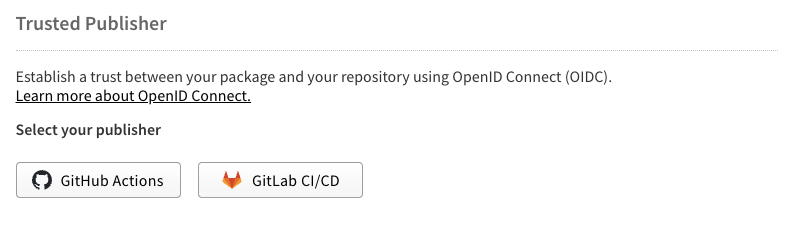
Setting up trusted publishing on the npm side is really simple. Just go to your package settings on npmjs.com and select your CI/CD provider. From here on in I’ll only be mentioning GitHub Actions, but the setup should be mostly the same for GitLab.
Fill in the organization/user and repository name, and the name of the workflow file (only the name of the file including its extension) that is calling the npm publish command. I assume at runtime, there is some verification around that workflow filename, perhaps it’s set as an environment variable in the GitHub Action runner and passed along in the publish request to be validated.
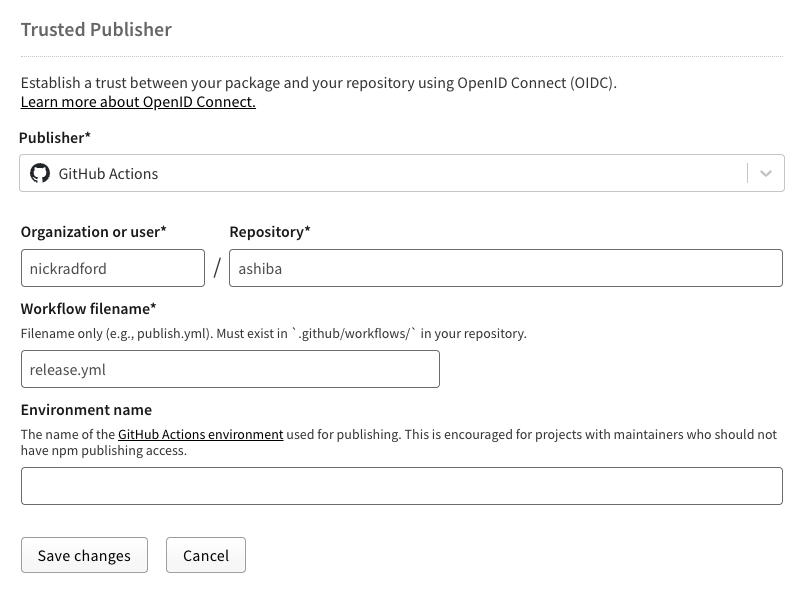
Note: npm doesn’t verify any of this information when you save this form. You’ll only get opaque errors, likely 404s saying the package isn’t found in the npm repository.
Configuring GitHub Actions
Conversely, this is where I got into the weeds a bit. To be fair I was skimming a little bit and missed one critical comment in the documentation from npm, about using npm v11.5.1 or later, and ran into the aforementioned 404s.
Here are the critical items you need in your workflow.
1. `id-token: write` permission
permissions:
  id-token: write
contents: readYou can set this at the root for the whole workflow, or in an individual job like so
jobs:
  publish:
    permissions:
id-token: writeThis allows the worker to create the short-lived access token used by OIDC to publish to the npm registry on your behalf.
2. Install npm 11.5.1 or later.
After setting up node, presumably using actions/setup-node@v4, and before running npm publish you must install a version of npm which understands the trusted publishing workflow, which is 11.5.1 or later.
- name: Update npm
run: npm install -g npm@11.5.1Here’s a link to the workflow that finally worked for me, using release-it and trusted publishing. Assuming you have the token permission and a valid version of npm installed, your package should publish successfully on npm.
Thoughts
When you setup node with actions/setup-node, you can specify a node version like so:
- uses: actions/setup-node@v6
  with:
    node-version: '20'
registry-url: 'https://registry.npmjs.org'I’m really curious why GitHub (they author the setup-node action) doesn’t expose an npm-version property here to, to simplify and unify node and npm setup.
This GitHub issue has some explanation, firstly that each install of node comes bundled with npm. For instance, node 22 comes with npm@10.9.4. Another comment mentions that the node team is considering moving npm into corepack.
I think also with the matrix strategy in GitHub Actions, which allows you to run your jobs against an array of versions like so, could further complicate things.
  Unit:
    name: Unit Tests
    runs-on: ubuntu-latest
    strategy:
      fail-fast: false
      matrix:
        node-version: [20, 22, 24]
    steps:
      - uses: actions/checkout@v6
      - uses: actions/setup-node@v6
        with:
node-version: ${{ matrix.node-version }}I even tried setting the engine.npm version in my package json to see if that would work, before I ultimately just added a step in the workflow.
Given that this feature request been open for over 5 years, and has many references from issues and PRs in other projects, I think its safe to say that this is a feature that won’t be coming to the action any time soon.
Latest writing
- Reflecting on AI Writing4 min readStream of conciousness on the use of AI tools while writing.
- Theme Lab13 min readI got tired of asking Codex to make my site less yellow, so I built a hidden theme toy for faster color experiments.
- Your Codebase Is Part of the Prompt12 min readAI coding agents read your codebase as context. Learn how ubiquitous language and consistent naming reduce ambiguity and improve agent accuracy.